
Hybrid Meeting Rooms in Dubai: What Good Video Conferencing Needs
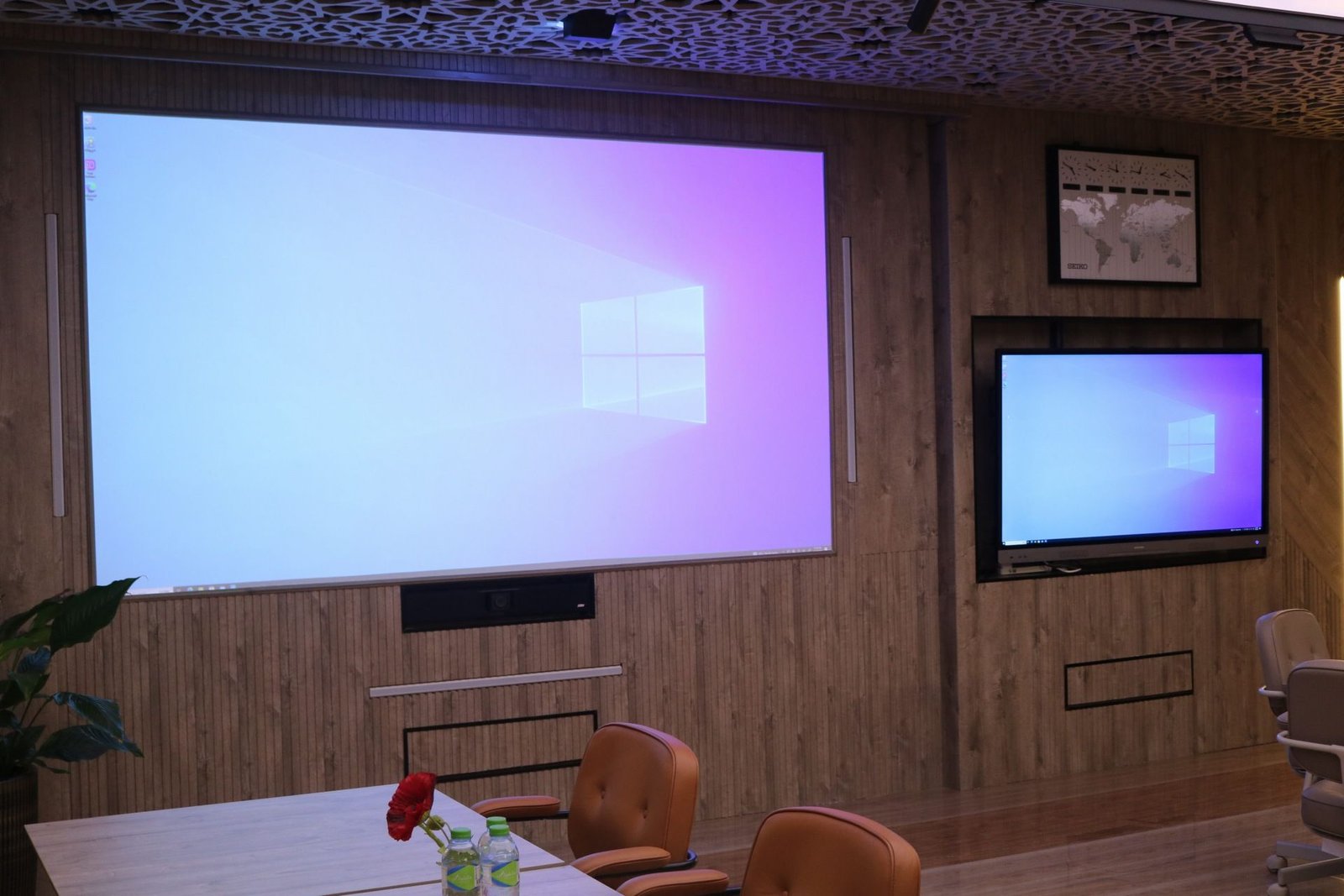
Quick answer: a real hybrid meeting room needs a camera that follows whoever is speaking, room audio that picks up every voice, screens large enough to show remote people clearly, and internet that will not drop. A laptop webcam at the end of a table is not a hybrid setup — it is a remote audience watching from far away.
Most organisations in Dubai now run meetings with some people in the room and some online: directors travelling, regional teams in other emirates, partners abroad. When the room is not built for that, the remote side disengages within minutes.
The camera problem
A fixed wide-angle camera shows a small, distant table. Remote attendees cannot read faces or tell who is talking. Speaker-tracking cameras solve this by framing the active speaker automatically. Our room uses two smart cameras — one on the presenter, one on the room — so people online see a session, not a static shot.
Audio matters more than video
People forgive grainy video; they will not tolerate audio they cannot hear. Check that the room's audio covers every seat so participants can speak naturally without passing a microphone, and that remote voices play through speakers the whole room can hear clearly. A 5.1 surround system makes remote speakers sound present rather than tinny.
Screens for both sides
- One screen for the shared presentation
- One screen for remote participants, large enough to show faces
- Ideally a third for notes, chat or a second feed
With three screens, including 4K projection, nobody has to choose between seeing the slides and seeing the people.
Internet you never think about
Ask the venue what connection the room uses and whether it is shared with a busy floor. For important sessions, request a test call on your own platform — Teams, Zoom or Google Meet — the day before or an hour before.
Running the meeting well
- Send remote attendees materials in advance.
- Name a facilitator in the room who watches the chat and brings remote people in.
- Ask in-room speakers to face the camera, not just the table.
- Use the whiteboard on screen, not on a wall the camera cannot see.
- Keep a short break every 90 minutes for both sides.
Recording and streaming
If you need to record a session or stream to a large audience, a dedicated operator is worth it. We arrange one on request and quote it separately; for most hybrid meetings the in-room setup is enough.
Common hybrid meeting mistakes
- Using a laptop camera on the table. Remote attendees see the ceiling and one person's chin.
- Muting the room to stop echo. Then remote people cannot hear questions. Proper room audio fixes echo without muting.
- Forgetting the chat. Questions pile up online and nobody reads them.
- Presenting from the screen share only. Remote viewers lose sight of the speaker and their body language.
- No test. Every platform update changes something; a five-minute test removes surprises.
Hybrid etiquette that works
Open the meeting by welcoming remote attendees by name. Ask in-room participants to address questions to the camera when speaking to someone online. Go "remote first" in round-table discussions so online voices are heard before the room dominates. These small habits make a large difference to how included people feel.
When a fully remote meeting is better
If most attendees are remote, a fully online meeting can be fairer than hybrid. Hybrid works best when the room is the centre of gravity — board meetings with one or two remote directors, training with a handful of online delegates, or seminars streamed to a wider audience.
Frequently asked questions
Do I need to bring my own equipment?
No. Bring your laptop; the cameras, audio and screens are in the room and tested with you before guests arrive.
Which platforms work?
Any mainstream platform. We test the link with yours beforehand.
Can hybrid training work too?
Yes — the cameras track the trainer, so remote delegates follow the session properly. See our training room checklist.
Ready to see the room? Check available dates and request a quote, or arrange a visit to Office 516, Bayan Business Center, Dubai Investment Park. Room hire starts from AED 800 per half day, including the room, AV, setup and coffee service.